Skip to content
888r Mobile / App
LIVE LOBBY

888r — Live Tables, Slots and Sports in One Place

Slots from Pragmatic Play and Habanero, live dealer tables, and cricket-led sports markets are all inside one lobby — with Nagad, Rocket and Bank Transfer ready at the deposit screen. Access depends on your local law and eligible region.

bKash Nagad Rocket
Browse games
CONTENT / 01

A Closer Look at What's Inside

A few titles worth knowing about before you browse. Cricket Scorer is in the sportsbook-adjacent games section — it's built around cricket match mechanics and is one of the more locally relevant titles in the catalogue given how closely Bangladesh follows the sport.

  • Cricket Scorer

    Cricket Scorer is built around cricket match mechanics, making it one of the more locally relevant titles for Bangladesh players. It sits in the sports-themed games section of the lobby. The game page shows the mechanics and any available RTP data. It's a game, not a live betting market — for live cricket odds, head to the sportsbook section.

  • Barisal Crash Arena

    Barisal Crash Arena is a crash-format game in the slots section. The multiplier mechanic and game rules are explained on the game page before you start. It's one of the titles from the CQ9 or JDB catalogue — check the game page for the studio attribution and any available RTP figure.

  • Roulette Winner's Wheel

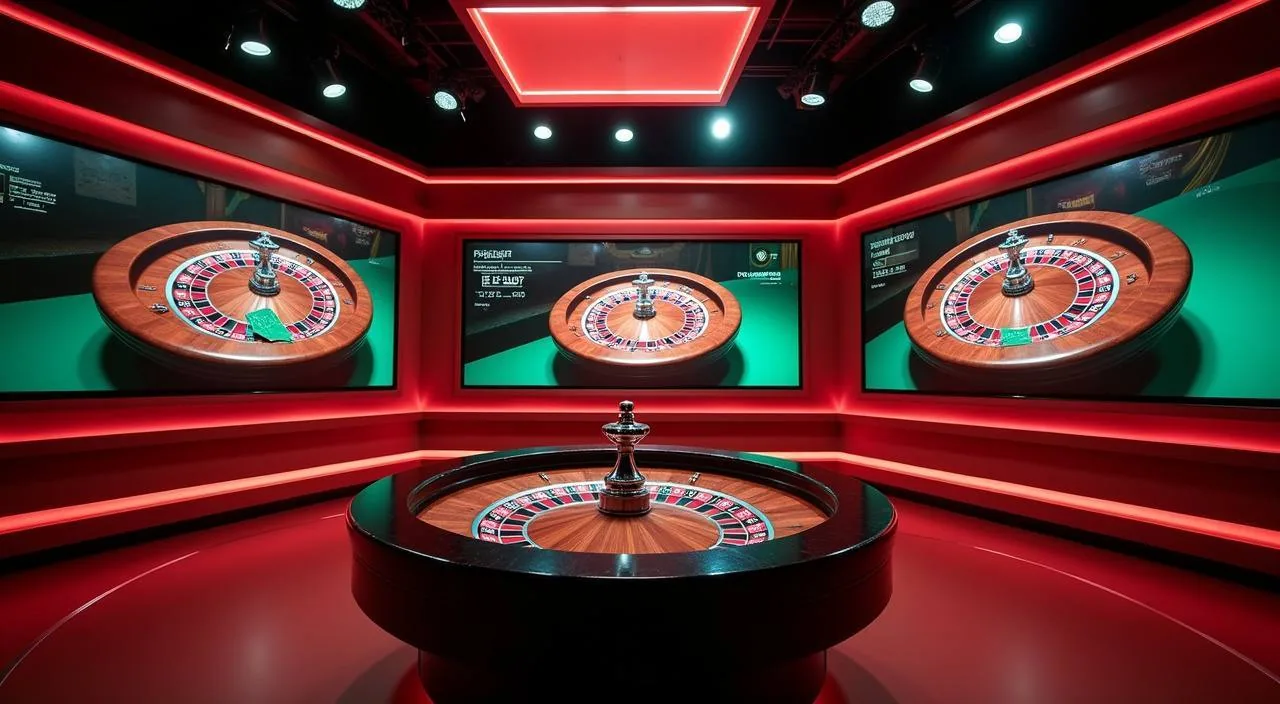
    Roulette Winner's Wheel is a live dealer table in the casino section. Table limits are shown on the lobby card so you can check the range before entering the room. It's hosted by a live dealer and follows standard roulette rules; any variations are noted on the game page.

ACCOUNT DESK

Account information

Review current account information after signing in.

Login
DISCOVER / 01

Choose your game

Full lobby
LOCAL PAYMENTS

Nagad, Rocket and Bank Transfer at the Deposit Screen

Three payment routes are configured for Bangladesh accounts: Nagad, Rocket and Bank Transfer. Nagad and Rocket are mobile wallet options — you'll see them as selectable chips on the deposit screen once you're signed in. Bank Transfer suits larger amounts; the account page displays the reference number and destination details for each transfer. When using Bank Transfer, complete the payment from your bank using only the reference number shown — this helps the team match your transfer to your account correctly.

  • Nagad

    Nagad is a mobile financial service widely used across Bangladesh. On the deposit screen, select Nagad, enter the amount within the limits shown for your account, and follow the transfer steps your Nagad app displays. The transaction reference appears in your 888r account history once the transfer is confirmed on the Nagad side.

  • Rocket

    Rocket is Dutch-Bangla Bank's mobile banking service, available to account holders across Bangladesh. Select Rocket on the deposit screen, confirm the amount and follow the in-app steps. As with all wallet deposits, the balance updates in your 888r account once the Rocket transaction clears — check your account history for the status.

  • Bank Transfer

    Bank Transfer is the route for larger deposits and withdrawals. Your account page shows the destination account details and the reference number to include with your transfer. Use exactly the reference shown — it's how the transaction is matched to your account. Processing follows your bank's own schedule; the account history updates when the funds are received.

Banking
GAME CATEGORY SPOTLIGHT

How the Game Categories Are Organised

Each category in the lobby has its own entry point so you're not scrolling through everything to find what you want. The live casino section groups dealer tables by game type — baccarat, roulette and others — with Baccarat Jungle among the titles available there.

  • Live Casino Tables

    The live casino section groups dealer-hosted tables by game type. Baccarat Jungle is one of the titles you'll find there. Table limits vary by room and are shown before you enter — check the lobby card for the range that applies to each table. Switching between rooms doesn't require leaving the live casino section.

  • Slots and Crash Games

    The slots section draws from Microgaming, Habanero, CQ9, Pragmatic Play, Joker and JDB. Slot Rushspin and Barisal Crash Arena are among the titles in this section.

  • Cricket and Sportsbook

    Cricket leads the sportsbook for Bangladesh accounts — IPL, BPL and international fixtures are the most-followed markets. The sportsbook is a separate section from the casino lobby; navigate to it using the top menu. Odds and available markets are shown live inside the sportsbook; we don't publish specific prices or fixtures on this page.

MOBILE ACCOUNT ACCESS

Your Account Works on Any Mobile Browser

888r runs in your mobile browser without a separate download. The lobby, wallet and support routes are all accessible from the same URL you use on desktop — the layout adjusts to your screen size automatically. If you encounter display issues on an older browser, updating to the latest version of your preferred mobile browser usually resolves them. Bookmarking the 888r.vin address directly saves time on return visits and ensures you are always accessing the correct site.

  • Browser-Based, No Download

    The full lobby — live casino, slots and sportsbook — loads in your mobile browser. No app store, no installation. The same account credentials work on mobile and desktop, and your wallet balance and transaction history are the same across both. Open the site, sign in, and you're in the lobby within a few taps.

  • Wallet Access on Mobile

    Nagad and Rocket are optimised for mobile deposit flows. On the deposit screen, tap your preferred method, enter the amount within the limits shown for your account, and the transfer steps open in a format suited to a phone screen.

  • Support from Your Phone

    The support ticket form and live chat entry point are in the account menu on mobile. If a transaction needs attention, you can open a ticket directly from the wallet history screen — the transaction reference pre-fills so you don't have to copy it manually. Response routes are the same whether you contact support from mobile or desktop.

CONTENT / 03

Your Account Works on Any Mobile Browser

888r runs in your mobile browser without a separate download. The lobby, wallet and support routes are all accessible from the same URL you use on desktop — the layout adjusts to your screen size automatically. If you encounter display issues on an older browser, updating to the latest version of your preferred mobile browser usually resolves them. Bookmarking the 888r.vin address directly saves time on return visits and ensures you are always accessing the correct site.

  • Browser-Based, No Download

    The full lobby — live casino, slots and sportsbook — loads in your mobile browser. No app store, no installation. The same account credentials work on mobile and desktop, and your wallet balance and transaction history are the same across both. Open the site, sign in, and you're in the lobby within a few taps.

  • Wallet Access on Mobile

    Nagad and Rocket are optimised for mobile deposit flows. On the deposit screen, tap your preferred method, enter the amount within the limits shown for your account, and the transfer steps open in a format suited to a phone screen.

  • Support from Your Phone

    The support ticket form and live chat entry point are in the account menu on mobile. If a transaction needs attention, you can open a ticket directly from the wallet history screen — the transaction reference pre-fills so you don't have to copy it manually. Response routes are the same whether you contact support from mobile or desktop.

GAME NETWORK
Microgaming
Habanero
CQ9
Pragmatic Play
Joker
JDB
CONTENT / 04

888r lobby studios

The 888r lobby carries content from Microgaming, Habanero, CQ9, Pragmatic Play, Joker, JDB. To check the studio, rules or features of one specific game, open that game card or the published information panel.

  • Microgaming

  • Habanero

  • CQ9

  • Pragmatic Play

  • Joker

  • JDB

ACCOUNT PATH

From the Sign-In Page to the Lobby

Getting from the sign-in page to a funded account takes a small number of steps, and each one is clearly labelled on screen. Start at the account creation page — fill in the fields shown there, including your email address and a password. Once the account is created, navigate to the deposit screen from the wallet section of the menu. Select your preferred payment route, enter the amount, and follow the on-screen confirmation steps. After the deposit is processed, the lobby becomes fully accessible and your balance will reflect in the wallet display at the top of the screen.

  1. Create Your Account

    Open the account creation page and complete the fields shown — email, password and any other details required. The form tells you if something is missing before you submit. Once submitted, you'll receive a confirmation to the email address you provided; follow the link to activate the account.

  2. Make Your First Deposit

    Open the wallet panel from the authenticated home screen. Select Nagad, Rocket or Bank Transfer. The deposit screen shows the limits for your account and the steps for the method you've chosen. For Bank Transfer, use the reference number shown on screen so the transaction is matched to your account correctly.

  3. Navigate the Lobby

    Once your balance is showing, use the category tabs at the top of the lobby to move between live casino, slots and sportsbook. Each category loads only the titles in that group. Game details — including limits and any available RTP data — are on the individual game page, which opens when you tap a lobby card.

MEMBER DESK / 06

Offers, support and account controls

01

Game lobby

02

Payment guide

03

Support

TRUST / 03

How to Reach Us When You Need Help

Support is available through the account menu — look for the help or support option once you're signed in. For transaction issues, the fastest route is to open a ticket directly from the wallet history screen; the transaction reference pre-fills automatically so the support team can locate the record without you having to search for it.

  • Transaction Support

    For a deposit or withdrawal that hasn't updated as expected, open a support ticket from the wallet history screen. The transaction reference pre-fills from the record you select. Include the payment method — Nagad, Rocket or Bank Transfer — and the amount. The support team checks the transaction record on their side and responds through the ticket thread.

  • Account Access Help

    If you can't sign in, have a verification prompt you're unsure about, or need to update account details, the account page has a help path for each scenario. Password reset is handled by the link on the sign-in page.

  • Lobby and Game Questions

    Questions about how a specific game works, what limits apply to a table, or whether a particular studio's titles are available in your region are best answered by the game page itself — open the lobby card for that title and check the details shown

Learn more →
ACCOUNT CARE SIGNALS

How 888r Handles Your Account and Data

Account security, fair access and clear information are the baseline we hold ourselves to. Your wallet balance and transaction history are visible in your account at all times — there are no hidden fees applied to deposits or withdrawals beyond what the payment provider may charge on their side, and those are outside our control. Within the account settings, you will find options that let you manage how your account behaves over time. These controls are available directly from the settings menu and take effect without requiring you to contact support.

  • Wallet Transparency

    Your balance, deposit history and withdrawal history are all visible in the account wallet panel. Each transaction shows the method used, the amount and the current status. There are no charges applied on our side beyond what your payment provider may levy — and those are shown by the provider, not hidden in your account balance.

  • Game Integrity

    Game content is delivered by the studios in the catalogue — Microgaming, Habanero, CQ9, Pragmatic Play, Joker and JDB — as they provide it. We don't modify game mechanics or outcomes.

  • Regional Access Clarity

    Access to 888r depends on your local law and the eligible regions configured for your account. If your region is not supported, the account page will tell you. We don't make claims about availability in regions we can't confirm. Check the terms and the account page for the current eligibility information that applies to you.

  • Privacy and Data

    Your account data is handled according to the privacy policy in the site footer. Read it before you register if you want to understand how your information is stored and used. For specific data questions — such as requesting a copy of your data or asking about retention — the support team can direct you to the right process.

PLAYER INDEX / 07

Common Questions About the 888r Account

These are the questions we see most often from Bangladesh players. If your question isn't here, the support team is reachable from the account menu. A common question concerns why a deposit appears pending — this is usually a processing delay on the payment provider side rather than an account issue. Another frequent question is how to update contact details; this is done from the profile section inside the account menu.

Player guide and glossary
  • Which payment methods can I use to deposit?

    Nagad, Rocket and Bank Transfer are the configured deposit methods for Bangladesh accounts. Nagad and Rocket appear as tap-to-select options on the deposit screen once you're signed in.

  • How do I check the status of a deposit or withdrawal?

    Open the wallet panel from your account home screen and select transaction history. Each entry shows the method, amount, date and current status. If a deposit is showing as pending longer than your provider's quoted window, open a support ticket directly from that transaction record — the reference number pre-fills automatically so the team can locate it quickly.

  • Can I access my account on a mobile phone?

    Yes. The full account — lobby, wallet, transaction history and support — works in your mobile browser without any download. The layout adjusts to your screen size. Nagad and Rocket deposit flows are designed for mobile input. Bookmark the site from your browser for faster access. There is no feature difference between mobile and desktop access.

  • What game categories are available in the lobby?

    The lobby has three main sections: live casino, slots and sportsbook. Live casino includes dealer-hosted tables such as Baccarat Jungle and Roulette Winner's Wheel.

  • Where do I find RTP information for a game?

    RTP figures are shown on the individual game page inside the lobby, but only where the game's provider makes that data available. Not every title displays an RTP figure.

  • What do I do if I can't sign in to my account?

    Use the password reset link on the sign-in page — it sends a reset link to the email address on your account. If you don't receive the email, check your spam folder. If the account is showing a verification prompt rather than a login error, the account page has a help path for that step.

  • Is 888r available in my region of Bangladesh?

    Access depends on your local law and the eligible regions configured for your account. The account page will indicate if your region is not currently supported. We don't make claims about availability in regions we can't confirm.

Full glossary
LOBBY / 02

One mobile lobby, distinct game areas

Cricket Scorer Sports Cricket Scorer Access → Baccarat Jungle Live Baccarat Jungle Access → Slot Rushspin Slots Slot Rushspin Access → Football FastGoal Sports Football FastGoal Access → Barisal Crash Arena Slots Barisal Crash Arena Access → Roulette Winner’s Wheel Live Roulette Winner’s Wheel Access →
EXPLORE FURTHER / 04

Explore detailed guides

Local lobby check

QUICK ANSWERS

Frequently asked questions

Further answers covering game mechanics, account steps and how to get help when you need it.

Read FAQ →
How do I navigate between live casino, slots and sportsbook?

The category tabs at the top of the lobby switch between sections without reloading the page. On mobile, the rail sits at the top of the screen and each tab loads only the titles in that category.

What is Barisal Crash Arena and where do I find it?

Barisal Crash Arena is a crash-format game in the slots section of the lobby. The multiplier mechanic and game rules are explained on the game page before you start a round.

How do I withdraw my balance?

Open the wallet panel, select the withdrawal option and choose your method — Nagad, Rocket or Bank Transfer. The screen shows the limits that apply to your account.

Can I filter games by studio in the lobby?

Yes. The slots and casino sections have a provider filter that lists the studios whose content is currently active for your region. Select a studio — Microgaming, Habanero, CQ9, Pragmatic Play, Joker or JDB — to see only their titles. The filter resets when you leave the section, so reapply it if you return later in the same session.

What cricket markets are available in the sportsbook?

The sportsbook covers IPL, BPL and international cricket fixtures. Cricket is at the front of the sportsbook for Bangladesh accounts given how closely the sport is followed here.

How do I contact support if I have a problem?

The support route is in the account menu once you're signed in. For transaction issues, open a ticket from the wallet history screen — the transaction reference pre-fills from the record you select. For account access issues, the account page has a dedicated help path.

What should I do before making my first withdrawal?

Check the account page for any verification steps required before your first withdrawal on a given method. This might include confirming your mobile number or completing an identity check — the prompt will tell you exactly what's needed. Completing these steps before you request a withdrawal avoids delays.

READY WHEN YOU ARE

888r game lobby

Access may be available only where local law permits.

Register Login